Cashier Permissions MCR
Load the Cashier Maintenance program:
Now, click into your cashier of choice, and set the MCR Operator Group of your choice. The options are Cashier, Manager, Supervisor, Matchday Staff and Non-Till Operators: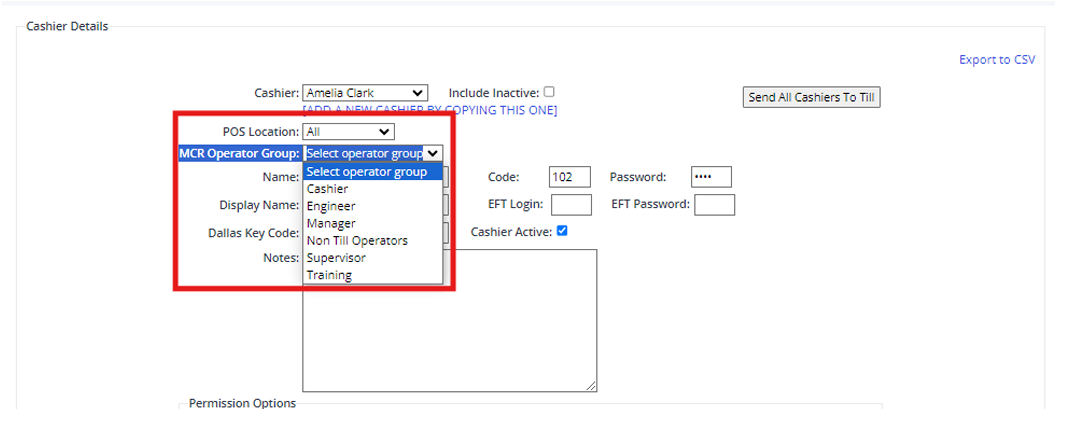
Each of these have a pre-set permissions:
Now looking back at an individual in Cashier Maintenance, when making any changes here, or creating a new cashier, you must only click the Update Cashier Details Only button: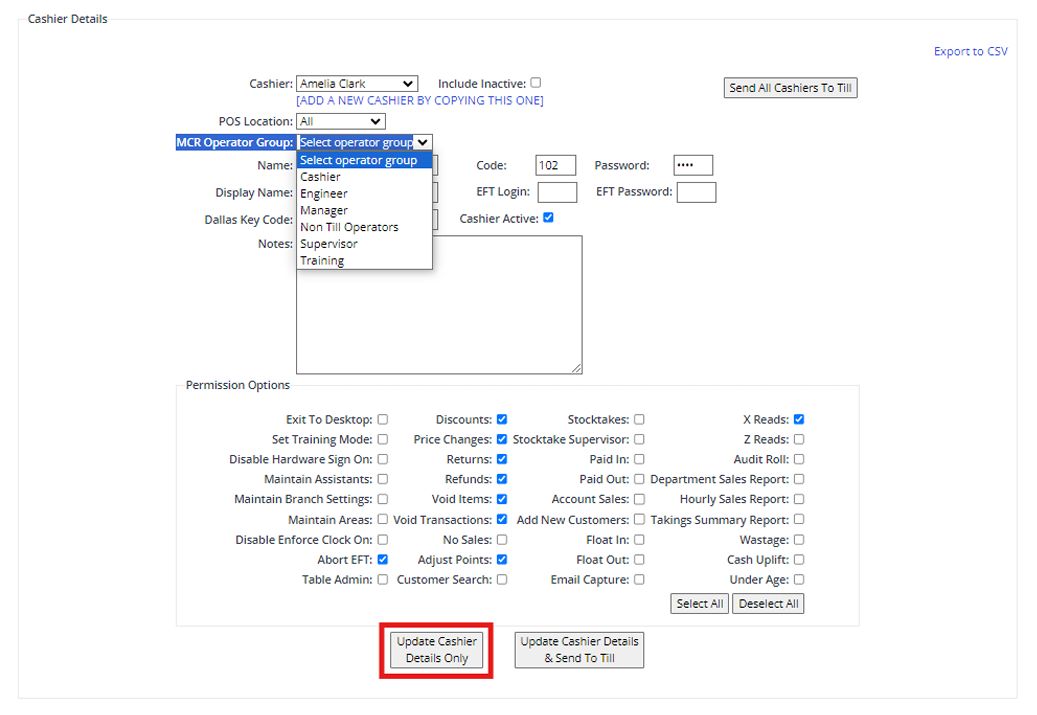
Note: The Permissions Options at the bottom of the Cashier Maintenance program have no bearing on permissions, as these only apply to the old software:
Related Articles
Create a new Cashier? Old Till System
Adding a New Cashier Select the Cashier Maintenance program from the EPOS menu. To setup new cashier details, select ADD A NEW CASHIER. If the cashier is likely to be working in all locations, then select the default 'All' for POS Location. If they ...Running the Cashier & Location Contribution Report
The Cashier & Location Contribution Report shows by cashier, the total number of sales they made, the average value of each sale, the total value of sales (Inc and Excl of VAT), the number of voids nad refunds, along with the percentile value of the ...Creating a new Cashier - New Till System - Sympos
Adding a New Cashier Select the Cashier Maintenance program from the EPOS menu. To setup new cashier details, select ADD A NEW CASHIER. If the cashier is likely to be working in all locations, then select the default "All" for POS Location. If they ...Cashier Maintenance - Error
Issue When attempting to add or update existing cashiers in Back Office, when the Update and Send to Tills button is pushed a list of error messages show including: <Description>Violation of UNIQUE KEY constraint 'IX_POSCashiers_2'. Cannot insert ...Runinng the Cashier Item Void Report
This report identifies the cashier who has carried out the void, the date, branch and till number (witin the pre-defined parameters) on which the void was performed and the items voided. From the Main Menu, select EPOS - then Cashier Item Void Report ...