Product not available despite being in stock
If you encounter an issue i.e., The product is not shown on the web, while it's available across other branches.
So first you need to confirm that this product despatching option is limited to a single branch or across all branches.
How to check?
1. Navigate to Stock Amendment under Stock
<Search for product using SID, name > and then SELECT
2. The new window will be open, Scroll down and search for Specific Despatching Branch
If you think this product stock should be checked across all branches, then it should be None, and if it is already selected then simply click on Apply Changes button
You may encounter an issue that products are available when you search but after clicking it gives a 404 - Page not found error. To resolve this follow the below steps.
1. Visit Customer Order Setup > Catalogue File Maintenance
2. Search for Product using Catalogue Code
Here enter catalogue, SID, or product name for search. Here for demo i am passing SID.
3. Then new window will be open, Select Maintain Web Description
There should be some page URL.
Just press the update button at the bottom of the page.
PRO TIP:
On the catalogue maintenance page, you will see the button like this.
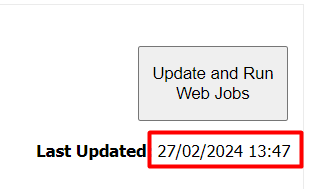
It tells you when this product's web-related changes (stock) last updated, it automatically runs at some point every day. so it's best practice to click the Update and Rub Web Job button if you have done any catalogue changes and don't want to wait for the auto updation script. Once you have clicked, the changes should be reflected soon.
Related Articles
Stock Creation
You will find the Simple Stock Creation Program under the Stock Menu. When you first enter the program you will be asked if you wish to create your new item of stock by copying from an existing item of stock, if you wish to use this option the fields ...Stock Adjustment
Adjusting Stock The first Step is to go into the Stock Adjustment Program. This can be found under the stock menu. You will first need to set the base parameters to determine which branch you are updating, when you want the adjustment to take place ...Setting Minimum Web Stock Level?
Setting Minimum Web Stock Level Select Catalogue File Maintenance from the Customer Order Setup menu. Select Web StockLevels. Enter the Cat Code/SID/Description and select Search. Web Stock Available is the calculated amount that you have available ...How Do I Adjust Stock with Scanners?
On the scanner, press number 6 on the Main Menu to select Adjustments. If the scanner displays “Adjustment In/Out for Branch Name In Progress†then select “No†and go to the "How to delete previous Stock Adjustments File" section towards the ...Product Amendment Import/Export
Product Amendment Import/Export The import / export utility has been created to allow for easy updating of a products descriptions, department/sub department and min/max level, loyalty redemptions, bar form till . The program sits under Stock: Style ...